Make AI Prospecting Work in Your Real World
AI sales prospecting tools are everywhere now, but they rarely plug neatly into the chaos of real sales teams. Reps live in the CRM, in their inbox, in social, in call tools, and often in a mess of spreadsheets on the side. When AI sits off to the side too, you get clever outputs that never become real pipeline.
The real problem is not that AI is wrong. It is that good AI suggestions get lost when they are not tied into your CRM objects, routing rules, and stage definitions. If AI creates contacts that do not sync right, or pushes activities that do not match your stages, you are just adding noise.
Here is the good news: with the right patterns and guardrails, AI prospecting tools can fit inside your existing revenue engine without breaking data quality or rep workflows. At a simple level, these tools help teams identify the right prospects, enrich missing data, and engage them across email, social, voice, and video. Our goal is to give you a clear, practical blueprint to pilot, integrate, and govern AI prospecting so it actually works in your world.
Start with Clean CRM Foundations, Not Fancy Features
If the CRM is messy, AI just makes the mess bigger, faster. AI sales prospecting tools will amplify whatever is already there. If job titles are all over the place, if industries are missing, or if buying committees are not linked to accounts, AI cannot reliably suggest who to contact or what to say.
Before you add more tools, check for:
- Missing or inconsistent titles and roles
- Accounts with no clear owner or territory
- Reps keeping “shadow databases” in sheets or side tools
- Lifecycle stages that no one uses the same way
A simple, minimum data model helps AI act like a teammate, not a random script. At a minimum, standardize the fields that matter for targeting and routing, like:
- Lead, contact, and account role or job level
- Industry, region, and segment
- ICP fit or simple “good fit / poor fit” tags
- Clear account ownership and territory boundaries
Then run a short, focused cleanup sprint before your AI pilot. Over 30 to 45 days, you can:
- Dedupe records and normalize key picklists
- Lock down required fields so new records are not half empty
- Add basic validation rules for job level, company size, and region
- Document what must live in the CRM and what can live in engagement tools
A cleaner base means your AI prospecting tool can actually read context and make smart choices.
Connect AI Prospecting to CRM Without Chaos
Once your CRM is in better shape, the next move is deciding how data should flow, not just where it should land. Trace the full path from AI-sourced prospect to enriched record to meeting to opportunity. You want to know exactly what the AI is allowed to create and update at each step.
Key questions:
- Should AI create leads, contacts, or accounts directly, or only propose them for review?
- Which fields can AI auto-update, and which need human approval?
- How will you handle duplicates when AI finds someone that partly exists already?
There are a few integration patterns that tend to work well in real teams:
- Direct CRM app, where the AI tool is installed and writes to specific fields while respecting your workflow rules
- Middleware or iPaaS for more complex logic, like region-based routing or updates across multiple objects at once
- Human-in-the-loop queues, where AI suggestions land in a review queue for reps or ops to approve before they go live
To avoid chaos, protect your CRM from duplicate explosions by enforcing email and domain-based matching. Keep activity timelines readable by letting AI summarize related actions instead of logging dozens of tiny tasks. Give admins a clear change log so they can see what the AI created, enriched, or updated and roll back if needed.
Rethink Routing and Stage-Based Governance
When AI runs all the time, leads do not show up in neat, daily batches anymore. They arrive constantly. Old routing setups that expect a few large imports start to crack when AI is generating prospects in real time.
You may need to rethink routing around:
- Territories, verticals, and product lines
- Role-based queues for SDRs, AEs, and partners
- Simple eligibility rules that gate when AI leads go straight to sales
A helpful pattern is to send only the strongest AI-sourced leads directly to an owner and the rest to a qualification queue. You can score basic fit and intent signals first, then assign by region or team once a lead clears that bar. This protects reps from “lead pinball” and constant ownership flips.
Governance also means fairness and compliance. Watch for routing rules that accidentally ignore certain segments or geos. For regulated industries, keep an audit trail of when leads entered the system and how they were assigned. Set SLAs for follow-up on AI-sourced leads so reps treat this pipeline as real, not just “experimental.”
Stages matter even more when automation is involved. Your stages should define:
- What messages can be sent
- How often each channel can be used
- What data AI is allowed to update
With stage-based governance, you can set different guardrails for cold, engaged, qualified, and in-deal records. Early stage prospects might get AI-suggested targets, enrichment, and personalized drafts for email and social that a rep reviews. Midfunnel records might have tighter frequency caps and more human calls or video. Late-stage and customers might only get AI for research, call prep, and follow-up summaries, not net-new outreach.
Policies and permissions keep this safe. Decide who can change AI settings by stage, usually ops, admins, or managers. Create message libraries and compliance-approved templates that AI can adapt but not ignore. For each stage, write a “do no harm” checklist: which fields AI may touch, which channels it can use, and when humans must step in.
Orchestrate Channels and Measure Real Impact
Buyers feel it when email, social, calls, and video are disconnected. It feels noisy and random. AI prospecting tools work best when every channel plays a clear role, especially as teams plan for mid-year pushes and second-half targets.
A simple multi-channel pattern looks like this:
- AI enriches profiles so you understand role, context, and likely pain points
- AI proposes a channel mix by persona, like more email for operators, more social and video for senior leaders, more voice for field roles
- AI sequences touches over a couple of weeks, while humans jump in after key signals such as replies or meetings booked
You also need to protect deliverability and brand reputation. Set channel frequency caps and quiet hours. Let AI watch reply sentiment and engagement signals, then adjust tone, timing, and length of follow-ups. Keep suppression lists and opt-out logic centralized so when someone opts out in one channel, they are respected across all outreach.
To know if AI prospecting tools actually work, define success before you start turning knobs. Separate vanity counts like email volume from real outcomes like meetings booked, opportunities created, and win rates. Track AI-sourced pipeline as its own segment and watch performance by channel and stage.
Feedback loops keep AI from drifting. Give reps quick “useful or not useful” buttons on AI suggestions. Feed final outcomes, like won, lost, or no decision, back into the system so targeting and messaging improve over time. Run A/B tests at the playbook level to compare pure human cadences, AI-driven ones, and hybrid versions.
When you are ready to pilot, start small but in your real stack. Pick one segment and region, hook everything into your CRM and routing from day one, and limit the first playbooks to a few clear email and social sequences plus call support. Make one sales manager and one ops leader responsible for quality and adoption, then scale with discipline as you see real impact.
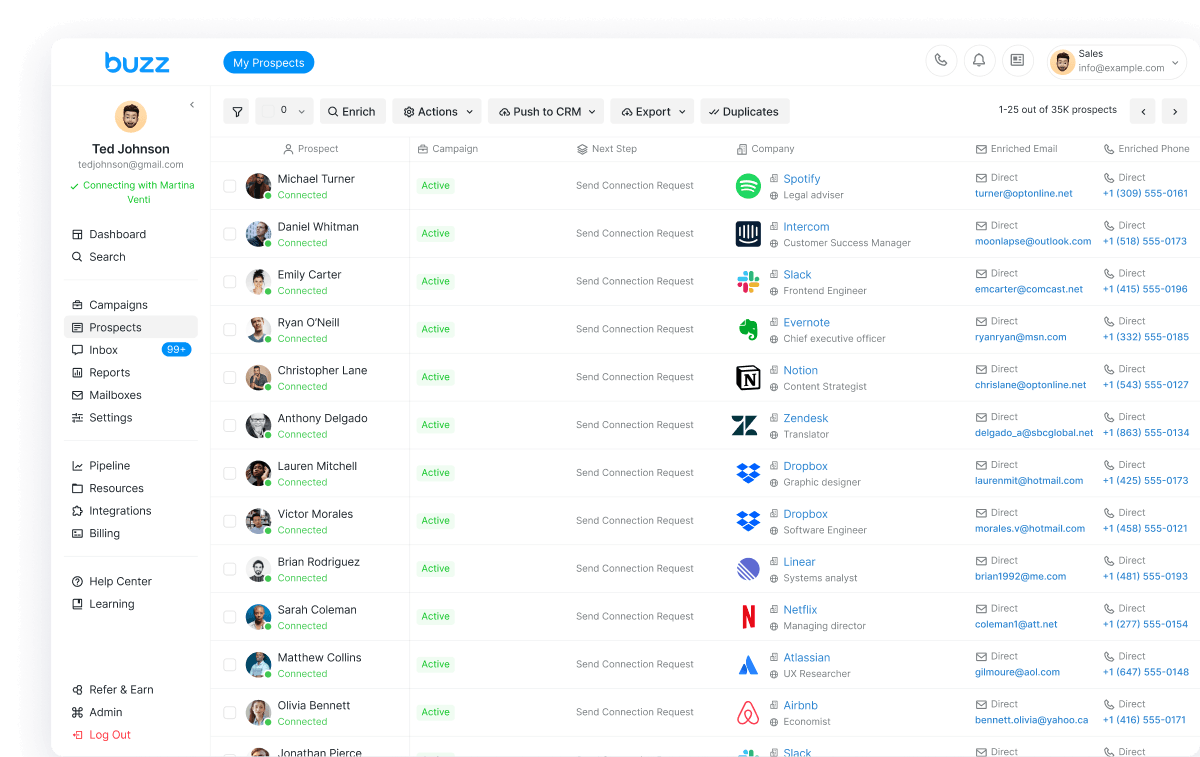
This is where a unified platform like Buzz AI fits. By combining data enrichment and multi-channel sales engagement in one place, it becomes much easier to keep data consistent, keep routing clear, and apply stage-based governance. With email, social, voice, video, and sales intelligence under one roof, revenue teams can grow AI-generated pipeline while keeping reps focused and the CRM clean.
Boost Your Pipeline With Smarter, Faster Prospecting
Turn more of your ideal leads into real opportunities by equipping your team with our AI sales prospecting tools built to find and qualify prospects in minutes. At Buzz AI, we help you automate repetitive outreach so your reps can focus on high-value conversations. Ready to see how this fits your sales workflow and targets. Reach out and contact us to explore the right setup for your team.