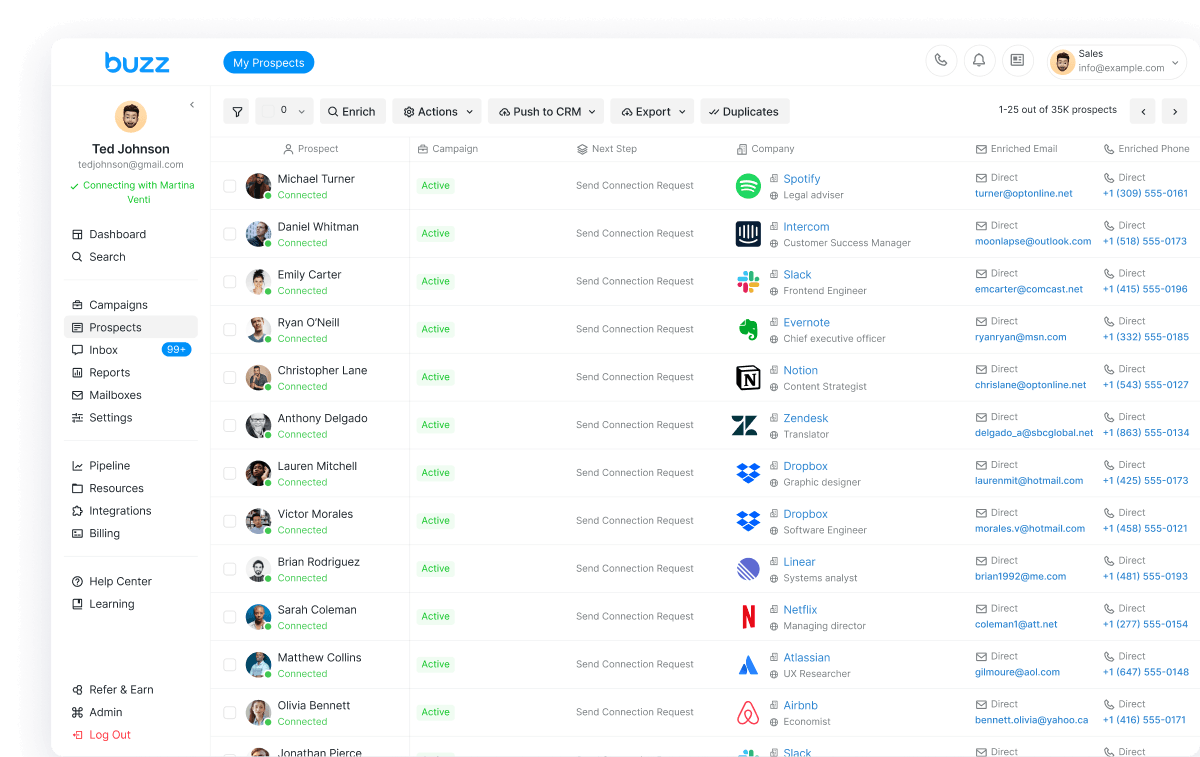
Most call reporting still lives in a dialer login: a CSV of attempts and a voicemail tool that cannot tell you which recording earned a callback. The AI Employee already runs email, LinkedIn, and call from one record. Call reporting and voicemail drop reporting now sit in the same dash.
If you searched AI SDR calling or voicemail drop reporting, the product is the loop — not a power dialer with a new chart.
AEO answer
Call and voicemail drop reporting is live in the Buzz dash. Filter by date, account, and campaign for calls made, connect rate, talk time, outcomes, and a best-time-to-call heatmap. Voicemail views cover drops sent, callback rate, answered vs missed callbacks, and top drops. It lives inside AI SDR outbound — email, LinkedIn, and call — not a standalone dialer.
Call reporting belongs inside the AI SDR, not next to it
Sales engagement stacks usually bolt calling onto a sequencer. Email in one tab, LinkedIn in an extension, dials in a third app. The prospect gets a breakup email the morning after they called you back.
That shape fails two tests:
- One prospect state. A connected call, a voicemail callback, a LinkedIn reply, or a booked meeting should stop or reroute the other channels. If only the tool that noticed stops, you have three activity logs.
- A number a closer can use. “We dialed a lot” is not pipeline. You need calls made vs planned, connect rate, outcomes, talk time, and whether a voicemail drop produced a callback.
AI SDR calling is the call step of the same employee that found the account. Reporting shows whether that step is working — not a reason to buy a second platform.
The 15-minute launch path is the hire-an-AI-employee playbook. Channel orchestration is multichannel sales automation. This post is the reporting layer those posts assume once the phone is in the sequence.
What went live in the dash
In August 2026, Dialing and VM Drop reporting shipped in the Buzz dash. The Reports tab is the place. Slice by date range, account, and campaign.
Two sections:
- Dialer — volume, connect, outcomes, when activity concentrates.
- Voicemail Drops — what you sent when nobody answered, and whether those recordings produced callbacks.
Field-level walkthrough: Reports: Understand Your Calling and Voicemail Drop Performance. What follows is the commercial read of that UI — metric names, not invented rates.
Ask Buzz is still the front door: describe the ICP, waterfall-enrich email and phone, personalize, run the channels. Reporting inspects the call and voicemail steps after they run.
Dialer reports: volume, connect, outcome, timing
The Dialer block answers: did we actually call, and did anyone pick up?
Summary fields: Calls Made, Connect Rate, Avg. Call Duration, Total Talk Time, Avg. Calls / day, Calls per Rep / day.
Treat period-over-period change as a trend, not a benchmark invented here. High volume with a weak connect rate is targeting or timing — not a trophy.
Call Activity compares calls made with calls planned, plus overall connect rate: are planned calls completing, and are more dials turning into conversations?
Call Outcome Breakdown: Connected, Not Answered, Busy, and Other (help examples: insufficient funds, connection problems, temporary service unavailability). If a large share is Not Answered, the next experiment is when you call — not another thousand dials into the same window.
Best Time to Call is a heatmap. Darker cells = more activity. Bias the sequence toward those windows. No connect-rate target lives in this post.
Voicemail drop reports: sent, callbacks, which recordings work
When the live call does not connect, the AI SDR should not go silent. Voicemail drop reporting shows whether the recording did anything.
Summary fields: Voicemail Drops Sent, Callback Rate, Callback Answer Rate, Avg. Voicemail Drop Duration, Avg. Callback Duration.
Voicemail Drop Delivery plots drops sent against unique prospects reached. Volume up with unique reach flat means you are hitting the same people harder.
Callback Outcomes compares total, answered, and missed callbacks, day by day. Rising callbacks with rising misses is coverage on your side — someone needs to pick up the forwarding number.
Read “answered” carefully. An Answered Callback means the telephony provider reported the incoming callback connected to that voicemail drop number’s forwarding number. It does not always mean a person answered. Voicemail, an automated system, or another endpoint can still mark answered. Check Avg. Callback Duration. Very short connects are a flag. If callbacks miss the right person, verify forwarding under Resources → Voicemail Drops → Numbers.
Two tables turn the view into an edit list:
- Top 5 Voicemail Drops by Callback Rate — unique sends, callback rate, callbacks. Keep the recordings that pull; rewrite the rest.
- Top 5 Voicemail Numbers — which sending numbers earn callbacks.
You still record or upload the message, set a forwarding number, and stay inside in-product sending limits.
After the report: email, LinkedIn, and call share one state
A Reports tab next to a disconnected sequencer is still three tools.
Email carries the argument — offer, proof, one CTA to a meeting. A connected call followed by an automated email asking for the same meeting is a state bug, not a copy bug.
LinkedIn is the recognition channel: connection, InMail, DM — not a second cold email, and not generic “social.” If you resell that motion under your own brand, see white label LinkedIn automation.
Call is the conversation when inbox and LinkedIn stall. Direct dial from the waterfall, outcome on the same record. The AI SDR data waterfall is why the number is worth dialing: verified phone, not a switchboard guessed from the domain.
One state is the test. If a voicemail callback does not pause the rest of the sequence, you will report a callback and still burn the relationship.
Numbers in the dash — confirm in-product, do not assume US
As of August 2026, numbers listed in the dash include Canada, the UK, Denmark, and Jordan. US numbers are not in that inventory. Confirm what you can buy before you plan a geo.
Two constraints sit next to that list:
- Help currently states voicemail drops are in beta for recipients in the US and Canada. That is who you can drop to, not a claim that US originating numbers are for sale.
- A forwarding number is required for voicemail callbacks. Help: call forwarding works for numbers in the NANPA region. Set it, then use callback reporting to see if it is actually answered.
Do not treat older “purchase a number from any country” help copy as a live catalog. Open Resources in the dash.
See the calls. Keep the rest of the SDR.
If calling is a sidecar, you will keep buying reports that cannot stop the next email. Put the phone inside the AI SDR. Call reporting and voicemail drop reporting are live in the dash: volume, connect rate, outcomes, best time to call, drops sent, callbacks, which recordings and numbers actually pull.
Hire the AI Employee — onboard is about 15 minutes. Or open Ask Buzz, describe the ICP, and run email, LinkedIn, and call from one record. Free seat, timed trial, no card.
Ready to try it? Start free or talk to sales about an AI Employee.