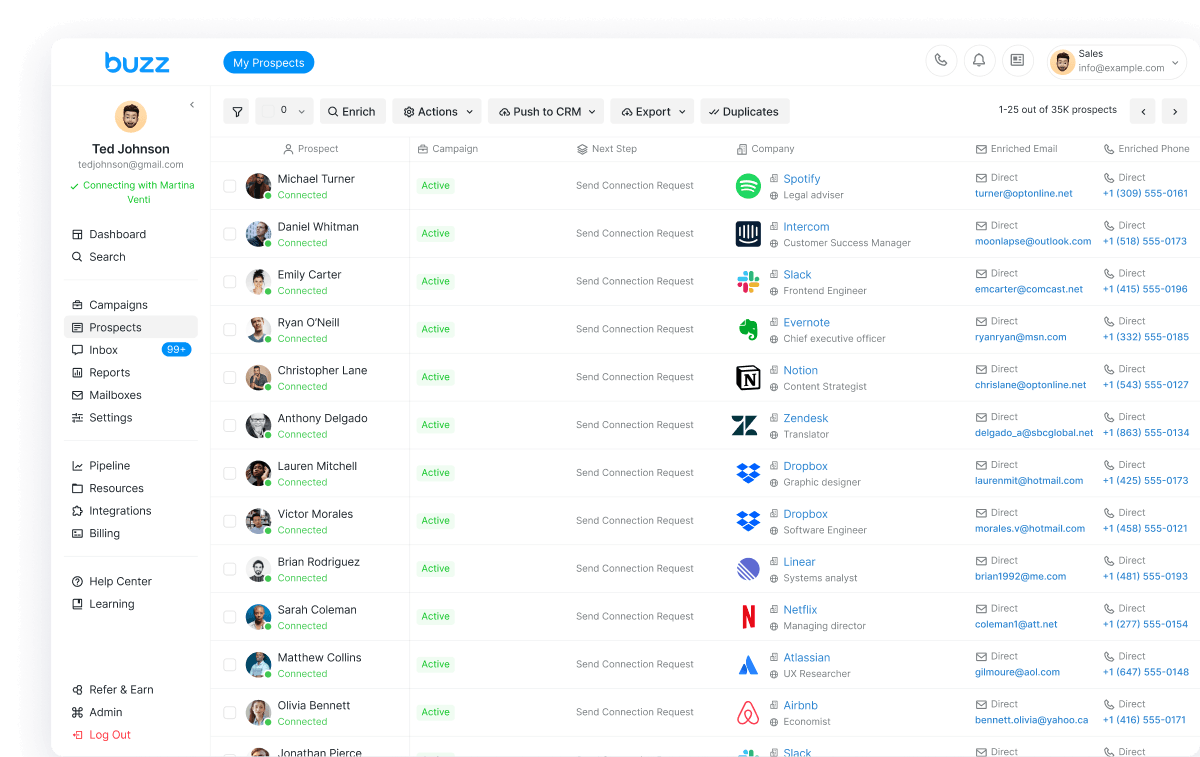
Sales teams ask this every week: is LinkedIn automation safe, or will it get your account restricted? The honest answer is that LinkedIn automation can be safe when you stay inside LinkedIn's real limits, warm up accounts, and use a tool that lets you control daily pace. No tool can promise you will never be limited. LinkedIn changes caps without notice and scores accounts on behavior, not just volume.
Short answer
Yes - LinkedIn automation is reasonably safe in 2026 if you treat LinkedIn's limits as hard rails, keep acceptance rates healthy (about 30% or higher), warm up new accounts, and avoid sudden spikes. Buzz runs LinkedIn tasks in the cloud, lets you set daily caps in Settings -> Account Limits, and publishes the safe ranges its help center recommends. For a full product walkthrough, see the Buzz LinkedIn automation tool page. To try it yourself, start for free.
What "safe LinkedIn automation" actually means
Safe does not mean risk-free. LinkedIn watches for spam-like patterns: generic notes, low acceptance, login location mismatches, and unnatural bursts of connection requests, messages, or profile views. A safe LinkedIn automation tool is one that helps you look human at scale - daily limits you control, cloud execution instead of fragile browser extensions, and clear guidance when LinkedIn pushes back.
Buzz's own help center is direct about this: LinkedIn does not publish every hard cap, but there are well-established safe ranges most teams follow successfully. The goal is sustainable outreach, not blasting through weekly quotas in two days.
LinkedIn limits in 2026 (safe daily ranges)
These numbers come from Buzz's guide to social outreach limits in 2026. Treat them as recommended ceilings, not targets you must hit every day.
Connection requests
- Free LinkedIn: 15-25 connection requests per day
- Sales Navigator: 25-40 per day
- Recruiter / Recruiter Lite: 30-50 per day
LinkedIn's typical weekly cap is about 100 connection requests. Many healthy accounts sit in a safer band of roughly 60-100 per week. Newer accounts, or accounts with weak acceptance rates, often get tighter limits. LinkedIn uses rolling weekly limits more than a strict calendar-day reset, so pacing across the week matters.
In Buzz you set the daily number under Settings -> Account Limits -> Connection requests. Campaign-level caps cannot exceed that account-wide limit. If reporting shows a higher monthly target (for example 700/month), that is a system planning number - actual delivery still depends on LinkedIn's real-time limits and your account standing.
Messages
- Free LinkedIn: about 30-50 messages per day to 1st-degree connections
- Sales Navigator: about 50-80 per day (1st-degree messages plus InMails)
- Recruiter / Recruiter Lite: about 60-100 per day
InMails also sit inside your monthly InMail quota (often around 50-150 per month on Sales Navigator, depending on plan). LinkedIn does not publish a single public messaging hard cap for every account type, but repetitive or spammy copy still triggers temporary limits.
Profile views
- Free LinkedIn: about 80-120 profile views per day (stay conservative)
- Sales Navigator: about 150-250 per day
- Recruiter / Recruiter Lite: about 200-300 per day
Campaign activity in Buzz can contribute to profile-view volume, so keep view limits in mind when you stack "Perform Action" steps with connection requests.
Notes, messages, and the 30,000 connection cap
Connection request notes: up to 200 characters on free accounts and up to 300 characters on Premium (after placeholders fill in). Regular LinkedIn messages can be long (up to about 8,000 characters). First-degree connections still top out at 30,000; past that, LinkedIn typically shows Follow instead of Connect.
Warm-up: the part most teams skip
New or reactivated LinkedIn accounts need a warm-up before full daily volume. Buzz's outreach practices guide recommends starting around 10-25 daily actions (views, likes, comments, and connection requests), then increasing gradually over 2-3 weeks. Spread activity through the day instead of sending in one burst. In Buzz campaigns, use wait timers between steps so the sequence feels human even while it runs automatically.
Practical warm-up habits:
- Start below the published free-account connection range, then step up only if acceptance stays healthy.
- Personalize notes; generic copy gets ignored or reported.
- Withdraw old pending invitations so your acceptance rate is not dragged down by stalled requests.
- Keep login location consistent with where automation runs.
- Verify the account - unverified and brand-new profiles face higher scrutiny.
Aim for at least a ~30% acceptance rate on connection requests. That signal matters as much as the raw daily count in 2026, when LinkedIn leans harder on reputation and behavioral patterns.
How Buzz keeps LinkedIn outreach inside safe ranges
Here is a plain comparison of the safety controls that matter when you evaluate a LinkedIn automation tool:
- Cloud Automation (on by default). LinkedIn steps run on Buzz's servers, not a browser extension that dies when your laptop sleeps. Included with your Buzz subscription at no extra cost. If you turn Cloud Automation off, cloud LinkedIn tasks stop.
- Account Limits you set. Cap connection requests and related activity under Settings -> Account Limits, then tighten further per campaign so multi-campaign totals do not surprise you.
- Published safe ranges. Buzz documents free / Sales Navigator / Recruiter daily bands and the ~100/week connection guideline in its help center, rather than hiding the risk.
- Warm-up friendly pacing. Wait steps, gradual limit increases, and "send connection request before heavy engagement actions" guidance help you avoid burning daily slots on likes before invites go out.
- Recovery path when LinkedIn limits you. Buzz shows notifications when LinkedIn throttles sending, and the help center walks through identity checks and a pause/unpause resync.
- Multichannel pressure relief. LinkedIn is one channel next to email and call in the same sequence, so you are not forced to push every prospect through connection requests alone. See LinkedIn automation with email and call.
Core is $79/month per seat (billed monthly) and includes LinkedIn and email outreach. AI Employee is $695/month per seat. You can start with a free seat, limited credits, and a timed trial with no card - details on Buzz pricing and AI Employee.
What to do if your LinkedIn account gets restricted
Temporary limits are frustrating, but they are often recoverable. Per Buzz's restriction recovery article:
- Log in on LinkedIn and follow the prompts - that is usually the fastest path.
- Verify your identity if asked (clear government ID, all corners visible). PIN codes expire in about 15 minutes; request a new one if needed.
- Resync Buzz after verification: finish LinkedIn's steps, then in Buzz pause the LinkedIn account and unpause it so the connection re-syncs.
- Match passwords if LinkedIn credentials changed; mismatched logins create fresh challenges.
- Handle lighter "Agree to comply" notices when they appear. If they repeat many times a day, temporarily lower activity.
- Appeal and check email if you believe the limit was a mistake, and contact LinkedIn support when prompts stall.
Most temporary restrictions ease in a few days to a week. Repeated flags usually mean volume, targeting, or copy needs a hard reset - not a higher daily cap.
Agencies running LinkedIn for clients
If you deliver LinkedIn outreach for clients, safety rules still apply per sender account. Agencies that want LinkedIn, email, and data under their own brand can look at Buzz White Label ($1,000/mo, 20 seats, billed annually) for a branded dashboard, wholesale pricing, Stripe billing, and admin controls. Book a demo on that page to confirm the plan that fits your client load.
Bottom line
Is LinkedIn automation safe in 2026? It is as safe as your limits, warm-up, and targeting. Stay near 15-25 connection requests per day on free LinkedIn (higher only with Sales Navigator or Recruiter), keep weekly volume near or under ~100, protect a 30%+ acceptance rate, and use a tool that exposes those controls instead of hiding them. For a wider vendor shortlist, read best LinkedIn automation tools in 2026. If you are comparing specific products, see our HeyReach alternative and Expandi alternative guides.
Ready to run LinkedIn inside safe ranges? Start for free on Buzz, or explore the LinkedIn automation product page.