Most teams run LinkedIn in one tool and email in another. Then a prospect accepts your connection request, replies on LinkedIn, and still gets your third cold email the next morning. LinkedIn and email outreach work best as one sequence: one list, one set of steps, one place where a reply stops everything.
This guide covers how to design that sequence: step order, waits, branching when someone accepts, stopping on a reply, daily limits per channel, and what to write at each step. If you still need to connect LinkedIn and set up your first campaign, start with how to automate LinkedIn outreach. For the bigger picture on why email-only outbound stalls, read multichannel sales automation.
Why one sequence beats two tools
When LinkedIn outreach automation and email live in separate tools, neither knows what the other did. You get double touches and replies sitting in the wrong inbox.
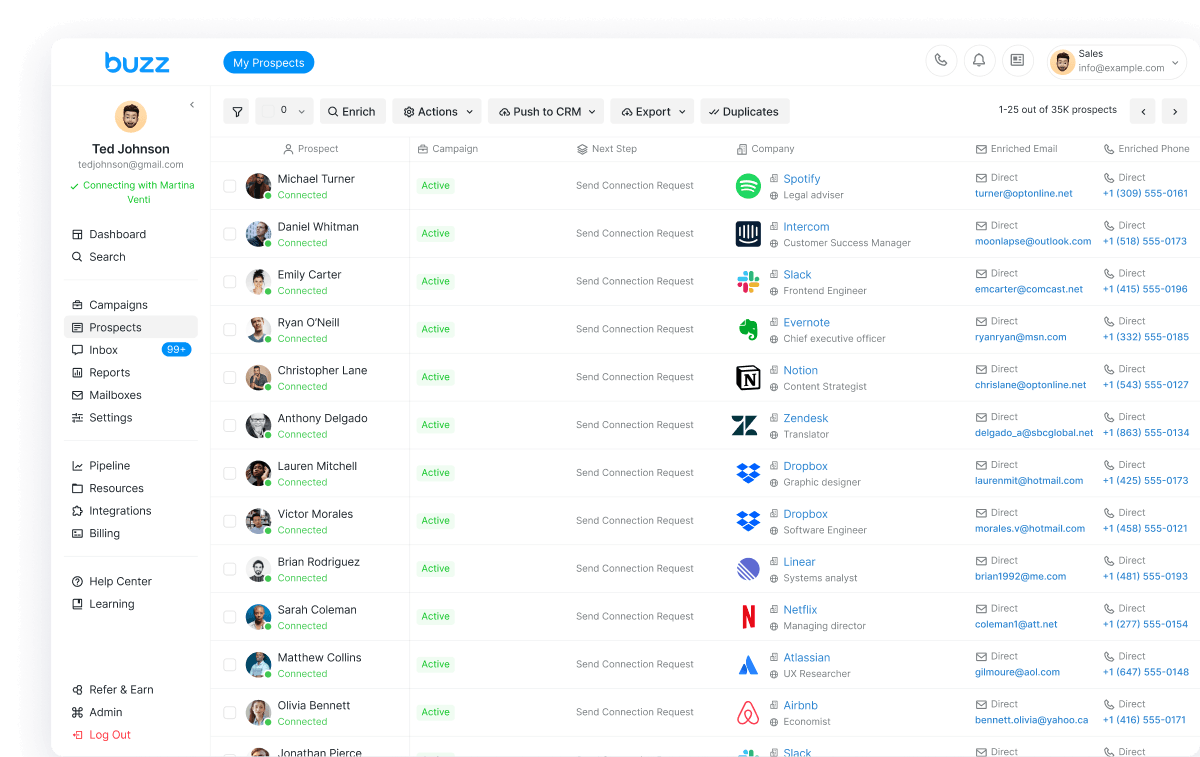
In Buzz LinkedIn automation, LinkedIn is one channel in a campaign. Buzz runs connection requests, messages, InMails, and profile actions from the cloud, in the same sequence as email and call, and LinkedIn and email replies land in one Buzz Inbox.
Before you build: pick the right campaign type
You can’t switch between Simple, Smart, and Magic after you save, so choose carefully.
- Multichannel, not Email Only. A Multichannel campaign can mix connection requests, LinkedIn messages, and emails. Prospects from LinkedIn searches can only be added to Multichannel campaigns.
- Smart, not Simple, if you want branching. Smart campaigns use if-then logic: accepted gets a LinkedIn message, not accepted gets an email. Simple campaigns run everyone down one straight line.
Buzz’s help center says its most popular format is still a connection request followed by a mix of LinkedIn messages and emails. You don’t need twenty steps.
The multichannel LinkedIn email sequence (blueprint)
Here is a simple Smart campaign you can copy and adjust. Waits are the time before each step runs.
| # | Step | Channel | Wait before it | Job of the step |
|---|---|---|---|---|
| 1 | If Connected (check) | LinkedIn condition | None | Catch people you already know, so they don’t get a cold opener |
| 2 | Send Connection Request (short note or none) | None | Open the door | |
| 3 | Send Email #1 | 1–2 days | Make the full case, one clear ask | |
| 4 | If Connected (check) | LinkedIn condition | At least 24–48 hours after step 2 | Split accepted vs. not accepted |
| 5a | Yes → Send Message | Right after the check | Thank them, one short question | |
| 5b | No → Send Email #2 or Send InMail | Email or LinkedIn | 3–5 days | New angle, not “just bumping this” |
| 6 | Send Email #3 (last email) | 3–5 days | Polite close, leave the door open | |
| 7 | Make a Call or Voicemail Drop (optional; voicemail drops are beta, US and Canada) | Phone | 3–5 days | Reach engaged prospects who prefer to talk |
That is three emails and one or two LinkedIn messages, in line with Buzz’s campaign-building guidance: about three emails total and no more than 2–3 LinkedIn follow-ups per connection. Buzz’s cold email guide flips the start (email on day 1, connection request on day 3). Either order works. Pick one and test it.
Step order rules that keep the sequence working
- Connection request before profile actions. For people you aren’t connected to, Buzz recommends the connection request before Perform Action steps (views, follows, likes). Actions before connecting can feel pushy.
- No LinkedIn message before a connection. LinkedIn won’t let you message non-connections, so those prospects move to Pending. Connect first, or use InMail.
- InMail needs Sales Navigator. You can send InMail to open profiles, or to closed profiles with your Sales Navigator credits. Buzz sends only one InMail per prospect per campaign, so a second InMail step is skipped.
- Don’t reorder a running campaign. Prospects finish earlier steps first, and moving steps after people are contacted pauses them until you restart them by hand.
Timing and delays between LinkedIn and email steps
Buzz’s help center suggests 3–5 days between steps, with the gap growing on later follow-ups. Four timing details matter:
- A delay is the earliest time a step can run. Daily limits and queues push it later. Buzz’s example: if 200 prospects finish a step the same day and your daily message limit is 20, some get the next message on day 4 and others on day 14.
- Set every delay before you launch. Changing delays later doesn’t apply to tasks already queued.
- Existing connections skip the post-connection delay. If someone is already connected when they enter the campaign, Buzz treats the wait as already passed.
- Operating hours win. Outside the hours you set, the account does nothing. You can also choose whether campaigns run on weekends in Account Limits.
Branching on accepted connection requests
The If Connected condition sends people who accept a LinkedIn message and moves everyone else to email or InMail. Two settings decide whether it works:
- Turn off “Wait for connection request to be accepted” on the Send Connection Request step when you use If Connected. With it on, prospects can get stuck between the two steps and never reach the “not accepted” path.
- Wait at least 24–48 hours before the If Connected check. That gives LinkedIn time to register accepts. The check can run a little later than the delay you set.
Importing a CSV that may include people you already know? Put an If Connected condition at the very start (step 1 in the table). Without it, Buzz skips the connection request for existing connections but still sends them the later messages.
Stopping on reply, across channels
A reply on any channel should end the cold outreach. In Buzz, a prospect counts as replied once they send their first response to any of your messages, and replied prospects don’t move on to the next steps. Three edge cases:
- Out-of-office replies count as replies. Resume those prospects from the Prospects list or the Inbox if you want them to continue.
- Voicemail call-backs don’t count. If someone calls you back after a voicemail drop, they aren’t marked as replied and the remaining steps still run. Pause them yourself.
- Call steps pause the prospect. A Make a Call step creates a task (with your script, owner, and priority), and the prospect waits until that task is done in the Buzz dashboard.
Daily limits on each channel
A multichannel sequence spreads volume, so you don’t have to push LinkedIn to its ceiling.
From Buzz’s guide to LinkedIn limits in 2026:
- Connection requests: 15–25 a day on free LinkedIn, 25–40 on Sales Navigator, 30–50 on Recruiter or Recruiter Lite, under a typical weekly cap of about 100
- Messages: 30–50 a day on free LinkedIn, 50–80 on Sales Navigator (including InMails), 60–100 on Recruiter
- Profile views: 80–120 a day on free LinkedIn, 150–250 on Sales Navigator, 200–300 on Recruiter
Set these in Settings → Account Limits. They are shared across every campaign on that LinkedIn account, and you can add a per-campaign cap inside them. Watch profile views: Buzz uses them before sending connection requests and InMails unless you turn on the Connection Request or InMail boosters.
- You can set a daily sending range for each connected mailbox, up to 300 emails per mailbox per day. Buzz picks a number inside that range each day, but your email provider sets the real cap.
- Buzz AI mailboxes warm up automatically for 12 days, then send up to 25 emails a day each.
Email deliverability basics for the email steps
- Warm up first. Launching before warm-up finishes can hurt your sender reputation. For SMTP mailboxes, Buzz recommends 20 warm-up emails a day after ramp-up, adding 5 a day during ramp-up.
- Send from a verified company domain, not a free Gmail or Yahoo address.
- Turn on “Verify prospect’s emails before sending” in Workspace Settings to check each address before it sends.
- Add the unsubscribe button in the Send Email step. People who unsubscribe are left out of all Send Email steps across your campaigns.
- Keep emails plain. Few links, no attachments, no spammy words like “free” or “guarantee.”
- Don’t lean on open tracking. Gmail hides tracking pixels by default, so open rates read low. Link tracking swaps in a tracking link that can look like a suspicious redirect. Judge the sequence on replies.
What to write at each step
Each channel has a different job. LinkedIn is short and personal. Email carries the detail. Keep connection notes under 200 characters on free LinkedIn and 300 on premium, after placeholders fill in.
- Connection request: “Hi {first name}, saw your post on {topic}. I work with {role}s on {problem}. Happy to connect.” No pitch.
- Email #1: One problem, one piece of proof, one ask. “Would a 15-minute call next week make sense?”
- LinkedIn message after accept: “Thanks for connecting, {first name}. Quick question: how are you handling {problem} today?” Don’t paste the email.
- Email #2 or InMail (not accepted): A new angle or a useful resource. Skip “Did you see my last message?” Buzz’s help center notes lines like that irritate more than they engage.
- Email #3: Short and polite. “If now isn’t the time, no problem. Should I check back next quarter?”
- Call or voicemail: Who you are, why them, and that you sent an email.
In Buzz you can use placeholders and spintax, draft with AI Message, preview each step, and turn on manual approval for any text step. The AI Employee can also research each prospect, write the LinkedIn and email messages, handle replies, and book meetings.
How to measure a LinkedIn and email sequence
- Acceptance rate = accepted ÷ connection requests sent. Aim for at least 30%. People you were already connected to also count here, so a fresh list gives the cleanest read.
- Reply rate = replies ÷ total contacted. This is your main number because it covers both channels.
- Email click and bounce rates. Common causes of a high bounce rate are bad addresses or a mailbox hitting its provider’s limits.
- Where people are stuck. In Prospects, filter by campaign and use the Next Step filter to see how many people sit at each step.
Change one thing at a time (the note, the first email, or a delay) and compare the next batch.
Launch checklist
- Multichannel + Smart campaign; “Wait for connection request to be accepted” off; 24–48+ hours before If Connected
- All delays and operating hours set before launch
- LinkedIn Account Limits inside the safe bands; mailbox ranges set and warmed up
- Email verification and unsubscribe on; three emails max
Bottom line
Good LinkedIn outreach automation with email is simple: connect, email, branch on accepted, follow up on the channel that fits, and stop the moment someone replies. Keep each channel inside its own daily limits and judge it on replies, not opens.
Core is $79/month per seat, billed monthly, and includes LinkedIn and email outreach (see pricing). Comparing tools first? See best LinkedIn automation tools in 2026, or our HeyReach, Expandi, and Dripify alternative guides. Agencies running LinkedIn for clients under their own brand can look at Buzz White Label.
Ready to build your first LinkedIn + email sequence? Start for free with a free seat, limited credits, and a timed trial (no card needed), or explore Buzz LinkedIn automation.