If you want meetings from LinkedIn without living in Sales Navigator all day, you need a clear plan for how to automate LinkedIn outreach — not a spray of connection requests. The goal is simple: automate LinkedIn connections, follow-up messages, and related profile actions inside safe daily limits, then fold email (and call when it fits) into the same sequence so LinkedIn is not your only pressure valve.
This guide is for direct buyers — founders, SDRs, and sales leaders running their own seats. For account safety and warm-up detail, see is LinkedIn automation safe in 2026. Agencies that deliver for clients or resell under their brand should read LinkedIn automation for agencies.
What “automate LinkedIn outreach” should mean
Good LinkedIn automation is a cloud campaign that:
- Pulls prospects from Sales Navigator searches and lists, Recruiter projects, LinkedIn posts, events, groups, or a CSV
- Sends connection requests (with or without a note), then messages after accept
- Can add InMail, profile views, follows, likes, and AI-written comments when those steps help
- Runs on servers (not a laptop browser extension), with daily caps you control
- Mixes LinkedIn with email and call in one sequence so you scale meetings without scaling invite volume linearly
That is how Buzz LinkedIn automation is built: LinkedIn is one channel in a Buzz campaign, not a separate tool. Free seat with limited credits and a timed trial is available with no card at signup.
Step 1 — Connect LinkedIn the safe way
Before you automate LinkedIn connections, connect the sender account cleanly:
- In Buzz, connect your LinkedIn account and pick the location that matches where the account usually runs (or use your own proxy).
- Enter the same email and password you actively use on LinkedIn. If you change the LinkedIn password later, update it in Buzz Settings → Account Settings or the connection breaks.
- If you need Sales Navigator features (saved searches for lead import, InMail through Buzz), keep an active Sales Navigator subscription and turn on two-step verification — without 2FA, Buzz cannot detect the Sales Navigator license and may show Basic status. See the account settings best practices and connect guide on help.buzz.ai.
Cloud Automation runs LinkedIn campaign tasks on Buzz’s servers. It is on by default and included with your subscription. If you turn it off, cloud LinkedIn tasks stop — so keep it on unless you have a reason not to.
Step 2 — Set daily limits before you launch
LinkedIn does not publish every hard cap. Buzz’s guide to social outreach limits in 2026 documents the safe daily bands most teams follow. Set them under Settings → Account Limits → Connection requests (and profile views) before the first campaign runs.
Recommended daily connection bands
- Free LinkedIn: 15–25 connection requests per day
- Sales Navigator: 25–40 per day
- Recruiter / Recruiter Lite: 30–50 per day
LinkedIn’s typical weekly cap is about 100 connection requests. A healthier band for most accounts is roughly 60–100 per week. LinkedIn uses rolling weekly limits more than a strict calendar-day reset, so pacing across the week matters. Newer accounts and low acceptance rates get tighter limits.
Messages and profile views
- Messages (1st-degree): about 30–50/day on free LinkedIn; 50–80 on Sales Navigator (including InMails); 60–100 on Recruiter / Recruiter Lite
- Profile views: about 80–120/day free; 150–250 Sales Navigator; 200–300 Recruiter / Recruiter Lite — stay conservative
Each connection request consumes a profile view. Campaign “Perform Action” steps (likes, multi-actions) share that view budget — so warm-up actions can starve invites if you stack them first. Aim for at least a ~30% acceptance rate on connection requests; that reputation signal matters as much as raw volume.
Connection request notes: keep templates short. LinkedIn caps notes at up to 200 characters on free accounts and up to 300 on Premium after placeholders fill in. Buzz will error if a filled note exceeds the limit.
Step 3 — Warm up (or ramp) before full volume
New or reactivated LinkedIn accounts should not jump straight to the top of the free-account band. Buzz’s outreach practices guidance: start around 10–25 daily actions (views, likes, comments, and connection requests), then increase gradually over 2–3 weeks. Spread activity through the day. In campaigns, use wait timers between steps so pacing stays natural.
Hygiene checklist while you ramp:
- Personalize notes; generic copy gets ignored or reported
- Withdraw old pending invitations so stalled requests do not drag acceptance (LinkedIn’s ~3-week wait before you can re-invite the same profile still applies)
- Keep login location consistent with where automation runs; verify the account
- If LinkedIn limits you, follow the prompts, complete ID/PIN verification, then in Buzz pause and unpause the LinkedIn account so it re-syncs — see the restriction recovery article
Step 4 — Build a campaign that automates LinkedIn connections and follow-ups
In Buzz, create a campaign from the dashboard (+ Create New Campaign). Choose Simple, Smart, or Magic, name it, and add your prospect sources.
Where prospects come from
- LinkedIn Sales Navigator searches and lists (searches keep pulling new prospects over time; New folder shows recently pulled people not yet stepped)
- Recruiter projects
- LinkedIn posts, events, and groups
- CSV import
Buzz only adds prospects who are not already in your system from other campaigns, so campaign counts can be lower than the raw search total. You can add more search URLs to a running campaign anytime.
Core LinkedIn steps
- Send Connection Request — with or without a note. Keep notes under the character caps above.
- Send Message — to 1st-degree connections after accept (or to people already connected).
- Send InMail — for open profiles, or closed profiles using Sales Navigator credits. Sending InMail through Buzz requires Sales Navigator.
- Perform Action — view profiles, follow, like a prospect’s last 3 posts, or post AI-written comments to warm a conversation before you message. Remember these share the profile-view budget.
Order matters: prospects complete earlier steps before later ones. If you use an If Connected branch after a connection request, add at least a 24–48 hour delay before the check so LinkedIn can register accepts — and do not enable “Wait for connection request to be accepted” on the Send Connection step when you also use If Connected branching (that combo can block the branch). Details live in Buzz’s sequence and campaign-step help articles.
Smart campaigns: LinkedIn + email without burning invites
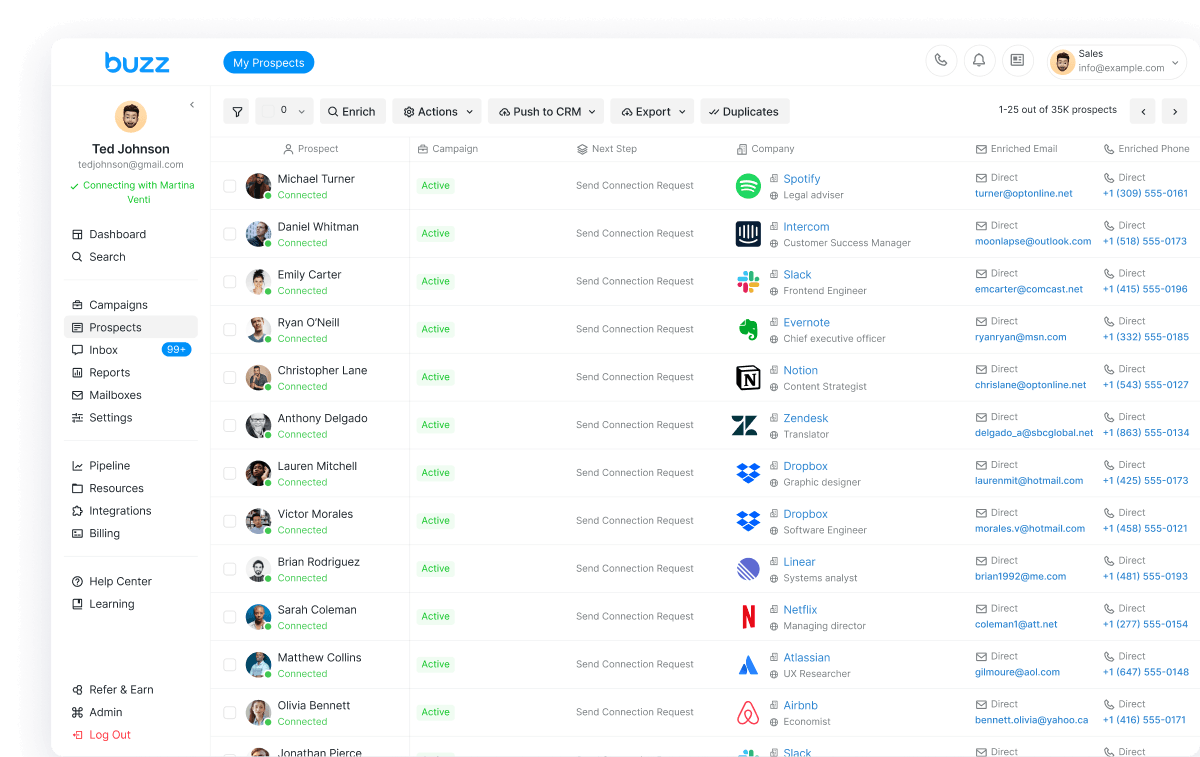
Email steps and LinkedIn steps run independently: an email still sends if the prospect has not accepted, and a connection request is skipped if you are already connected or have one pending. Use If Connected logic to message people who accept and move everyone else to email or InMail. Enrich LinkedIn prospects through Buzz’s data waterfall so you can continue on email or phone when the channel fits better.
That multichannel pattern is the practical answer to “how to automate LinkedIn outreach” without living at the weekly invite ceiling. Longer pitches and follow-ups belong on email; high-intent touches stay on LinkedIn. Call / voicemail (beta, US and Canada on Buzz) is there for hot replies instead of stacking more LinkedIn actions the same day. For a step-by-step blueprint with step order, delays, and stop-on-reply rules, see how to build one LinkedIn + email outreach sequence.
Step 5 — Replies, inbox, and booking
LinkedIn and email replies land in the Buzz Inbox so you can answer, filter by status, and send a Calendly link without switching tools. Turn on the AI Employee when you want research, personalized LinkedIn and email writing, reply handling, and meeting booking on your calendar. Sync HubSpot, Salesforce, or Pipedrive, or use Zapier and webhooks — see integrations on the product page.
Step 6 — Launch checklist (direct buyers)
- Account Limits set inside the published daily bands for your LinkedIn plan
- Warm-up stage finished (or still ramping with lower caps)
- Cloud Automation on
- ICP search or list loaded; notes personalized and under character limits
- Sequence mixes LinkedIn with email (and call if useful) so LinkedIn volume stays sustainable
- Acceptance rate watched; drop volume if it falls under ~30%
For a wider vendor shortlist, see best LinkedIn automation tools in 2026. For product comparisons, see our HeyReach alternative and Expandi alternative guides.
Pricing (direct seats)
Core is $79/month per seat, billed monthly, and includes LinkedIn and email outreach. AI Employee is custom-priced (talk to sales). Start with a free seat, limited credits, and a timed trial with no card at dash.buzz.ai/auth/sign-up. Current plans: buzz.ai/pricing.
Agencies that need clients on a branded dashboard (not Buzz seats for your own operators) use White Label at $1,000/mo · 20 seats · billed annually — see /whitelabels/ and white label LinkedIn automation. That model is secondary for this direct-buyer guide.
Bottom line
How to automate LinkedIn outreach in practice: connect LinkedIn with consistent location and (if needed) Sales Navigator + 2FA, set Account Limits to 15–25 / 25–40 / 30–50 daily connections by plan, warm up 10–25 actions then ramp over 2–3 weeks, build a cloud campaign that automates LinkedIn connections and messages from real lead sources, branch with If Connected into email/InMail, and keep acceptance near 30%+. LinkedIn alone will not scale meetings safely — pair it with email and call in the same Buzz sequence.
Ready to automate LinkedIn connections and follow-ups: start for free or explore the LinkedIn automation product. Agencies productizing under their brand: book a White Label demo.