Agencies that sell LinkedIn outreach hit the same wall: one client account is manageable; ten client accounts with different ICPs, warm-up stages, and weekly caps is where accounts get burned. LinkedIn automation for agencies only works when you treat every sender profile as its own risk surface — daily limits, warm-up, and multichannel pressure relief — instead of one shared blast queue.
This post is the ops playbook: how agencies run LinkedIn automation across multiple client accounts safely, when to buy direct seats versus white label, and how to resell under your brand without inventing a second product stack. For the product definition of reselling under your brand, see white label LinkedIn automation. For account safety basics, read is LinkedIn automation safe in 2026.
What “LinkedIn automation for agencies” means
Two agency jobs get mixed up in search results. Separate them before you pick a stack:
- Client delivery. You (or your team) run LinkedIn outreach for clients — their sender profiles, their ICP, your operators. You need seats, workspaces, per-account limits, and sequences that mix LinkedIn with email and call so you are not over-pushing connection requests.
- Resell under your brand. Clients log into your branded dashboard, never see Buzz, and you keep wholesale-to-retail margin. That is Buzz White Label, not a logo sticker on a browser extension.
Many agencies do both over time: deliver first, then productize. The ops rules below apply either way, because LinkedIn still scores each sender account on behavior.
How to run client LinkedIn outreach safely
LinkedIn does not publish every hard cap. Buzz’s guide to social outreach limits in 2026 documents the safe daily bands most teams follow. Use them as ceilings per client account, not as a shared pool across clients.
Per-account daily connection bands
- Free LinkedIn: 15–25 connection requests per day
- Sales Navigator: 25–40 per day
- Recruiter / Recruiter Lite: 30–50 per day
LinkedIn’s typical weekly cap is about 100 connection requests. A healthier band for most accounts is roughly 60–100 per week. Newer accounts and low acceptance rates get tighter limits. LinkedIn uses rolling weekly limits more than a strict calendar-day reset, so pacing across the week matters for every client seat.
In Buzz, set the daily number under Settings → Account Limits → Connection requests. Campaign caps cannot exceed that account-wide limit. If reporting shows a higher monthly planning number, actual delivery still depends on LinkedIn’s real-time limits and that account’s standing.
Messages, profile views, and shared capacity
- Messages (1st-degree): about 30–50/day on free LinkedIn; 50–80 on Sales Navigator (including InMails); 60–100 on Recruiter / Recruiter Lite
- Profile views: about 80–120/day free; 150–250 Sales Navigator; 200–300 Recruiter / Recruiter Lite — stay conservative
Each connection request consumes a profile view. Campaign “Perform Action” steps (likes, multi-actions) share that view budget. For agency delivery, keep warming actions from starving the invite quota — or move warm-up into a separate campaign. Aim for at least a ~30% acceptance rate on connection requests; that reputation signal matters as much as raw volume in 2026.
Warm-up every new client sender
New or reactivated LinkedIn accounts need a warm-up before full daily volume. Buzz’s outreach practices guide recommends starting around 10–25 daily actions (views, likes, comments, and connection requests), then increasing gradually over 2–3 weeks. Spread activity through the day. In Buzz campaigns, use wait timers between steps so the sequence still feels human while it runs automatically.
Agency checklist per client account:
- Start below the published free-account connection range; step up only if acceptance stays healthy.
- Personalize notes; generic copy gets ignored or reported.
- Withdraw old pending invitations so stalled requests do not drag acceptance (remember LinkedIn’s ~3-week wait before you can re-invite the same profile).
- Keep login location consistent with where automation runs; verify the account.
- If LinkedIn restricts a sender, follow the prompts, complete ID/PIN verification, then in Buzz pause and unpause the LinkedIn account so it re-syncs — see the restriction recovery article.
Cloud Automation and workspaces
Cloud Automation runs LinkedIn campaign tasks on Buzz’s servers (on by default, included with your subscription at no extra cost). If you turn it off, cloud LinkedIn tasks stop. That matters for agencies: client outreach should not depend on an operator’s laptop staying awake.
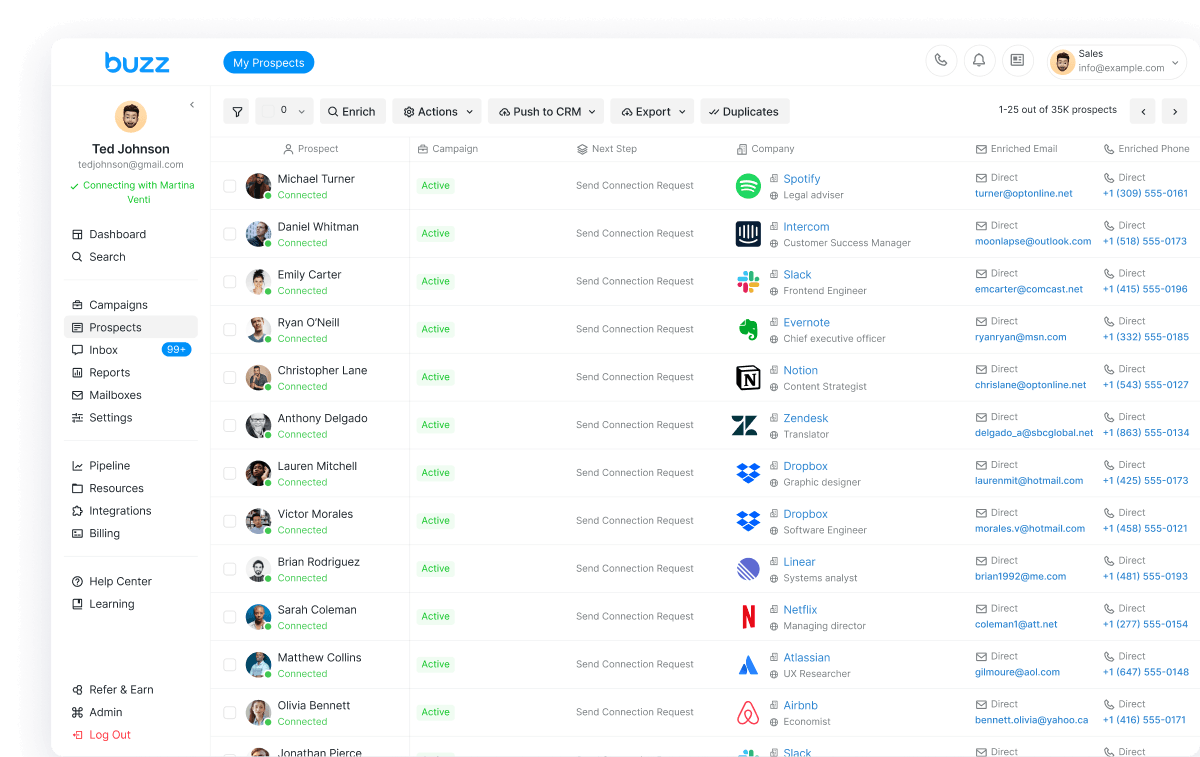
On the product side, Buzz documents designated workspaces, collaborative tools, and results dashboards so teams can scale campaigns and keep a full view across client work — see the LinkedIn automation product page. Practically: one sender account → its own Account Limits → its own warm-up stage → campaigns that respect that cap. Do not “borrow” unused daily invites from Client A to push Client B.
Multichannel sequences: LinkedIn + email + call
The fastest way to burn a client LinkedIn account is to force every prospect through connection requests alone. Buzz’s LinkedIn product is built for email, LinkedIn, and call in the same outbound motion: InMail and direct messages alongside email, with dialer and related calling features on the broader Buzz stack. Enrichment helps move conversations from LinkedIn to email when the channel fit is better.
Ops pattern that protects LinkedIn capacity:
- Use LinkedIn for warm social proof and high-intent touches (personalized invites, short DMs, selective InMail where Sales Navigator credits apply).
- Put longer pitches and follow-ups on email so daily LinkedIn message and invite bands stay inside safe ranges.
- Add call / dialer steps for hot replies instead of stacking more LinkedIn actions the same day.
That is how agencies scale meetings without scaling risk linearly with LinkedIn volume. For a wider vendor shortlist, see best LinkedIn automation tools in 2026; for product comparisons, see our HeyReach alternative and Expandi alternative guides.
Direct seats vs white label (decision table)
Pick the commercial model that matches who logs in and who owns the brand.
| Question | Buy direct seats | White label |
|---|---|---|
| Who sees the product UI? | Your agency team (Buzz dashboard) | Your clients (your logo, colors, domain — clients never see Buzz) |
| Primary job | Deliver LinkedIn + email (+ call) for clients or your own book | Resell outbound software under your brand; keep wholesale-to-retail margin |
| Public entry pricing | Core $79/mo per seat billed monthly; AI Employee: custom pricing, talk to sales (see pricing) | $1,000/mo · 20 seats · billed annually on /whitelabels/ — book a demo to confirm the plan that fits your client load |
| Billing to end clients | You invoice services however you already do | Native Stripe billing on your white-label stack |
| Admin / brand | Buzz team seats and Account Limits per connected LinkedIn | Branded dashboard, admin controls, wholesale pricing, AI assistant; AI Employee add-on seats available |
| Setup speed (WL) | — | Most partners live within ~48 hours; branding 0–2 hours, pricing/invite flows 2–4 hours |
Rule of thumb: if only your operators need seats, start on Buzz LinkedIn automation and sign up. If clients must log into your product, go to White Label and book a demo to confirm seats and pricing.
Resell under your brand (short path)
White label LinkedIn automation is a full branded outbound platform — LinkedIn, email, and data under your brand — not a chrome-extension skin. Public entry on the live page is $1,000/mo · 20 seats · billed annually; the page also asks you to book a demo to see setup and talk pricing. Included directionally: branded dashboard, wholesale rates and your own margins, Stripe billing, admin controls for accounts and access, a built-in AI assistant for campaign setup, and AI Employee add-on seats as premium tiers.
This post does not re-litigate “what white label is.” For that deeper resell brief, read White Label LinkedIn Automation, then start on buzz.ai/whitelabels/. For the business side — package pricing, margin formulas, and launch steps — read white label LinkedIn software: how to resell LinkedIn automation.
Bottom line
LinkedIn automation for agencies is an operations problem first: per-account limits (15–25 free / 25–40 Sales Navigator / 30–50 Recruiter daily connections), ~100/week ceiling, ~30% acceptance, warm-up 10–25 actions then ramp over 2–3 weeks, Cloud Automation so delivery is not laptop-bound, and multichannel sequences so LinkedIn is not the only pressure valve. Buy direct seats when your team delivers; buy white label when clients need your branded product at $1,000/mo · 20 seats · billed annually (confirm on a demo).
Agencies ready to productize: Book a White Label demo ($1,000/mo · 20 seats · billed annually — confirm plan on the call). In-house agency teams buying seats for themselves: start for free or explore the LinkedIn automation product.