Quick answer: Ethical LinkedIn outreach means having a real, relevant reason to contact someone, saying honestly who you are and why you're reaching out, keeping volume low and targeted, and taking "no" for an answer. LinkedIn's own policies ban spam and say not to use invitations "to send promotional messages to people you don't know." LinkedIn's User Agreement also bans unauthorized automation. So if you use any automation tool, you're taking a risk with your account, and you should automate carefully and with a human in charge.
Every rule quoted below comes from LinkedIn's or the FTC's own pages, checked on October 1, 2026.
1. Know the rules you've agreed to
Three LinkedIn documents set the rules:
- Professional Community Policies: "Do not spam members or the platform. We don't allow untargeted, irrelevant, obviously unwanted, unauthorized, inappropriate commercial or promotional, or gratuitously repetitive messages." They also say: "Do not use our invitation feature to send promotional messages to people you don't know."
- User Agreement, section 8.2: you agree not to "use bots or other unauthorized automated methods to access the Services, add or download contacts, send or redirect messages," and not to scrape or copy profiles and other data.
- Prohibited software and extensions: LinkedIn says it doesn't permit third-party software that scrapes, modifies or "automate[s] activity on LinkedIn's website," and that members who use such tools "risk having their accounts restricted or shut down."
2. Only reach out when you have a real reason
LinkedIn recommends that you "only send invitations to people you know and trust" (Invitation limit reached). If you're reaching out to someone new, have a specific, honest reason: a shared event, a post they wrote, a role you can actually help with. If you can't explain in one sentence why this person in particular should hear from you, don't send the message.
3. How to request a LinkedIn connection ethically
- Say who you are and why you want to connect. Don't put a pitch in the note.
- Keep it short. LinkedIn's help center says notes can be up to 200 characters, and free members can personalize up to three requests a month. Premium members can personalize every request (Personalize invitations).
- Don't fake a relationship. Don't write "great to reconnect" to someone you've never met.
Example (under 200 characters):
Hi {first name}, I read your post on {topic} and I work on the same problem at {company}. I'd like to connect and follow your thinking. No pitch.
4. Earn the conversation before you pitch
An accepted invitation means the person agreed to connect. It doesn't mean they agreed to a sales sequence. Start with the reason you gave in your note, ask one real question, and pitch only once they've shown interest.
5. Keep volume low and targeted
LinkedIn may restrict your invitations if you send "many invitations within a short amount of time," or if "many of your invitations have been ignored, left pending, or marked as spam" (Types of restrictions). A smaller, better-targeted list is both the ethical choice and the one that protects your account. Withdraw old pending invitations, but note that you can't re-invite the same person for up to three weeks after withdrawing.
6. Be transparent about who's writing
The User Agreement bans misrepresenting your identity. If AI drafts your messages, read them before they go out. LinkedIn's terms say you're responsible for content generated with AI features. Don't make claims you can't back up.
7. Respect "no" on every channel
If someone says no or asks you to stop, stop on LinkedIn and on email. If your follow-up moves to email, US law applies: the FTC's CAN-SPAM guide says there is "no exception for business-to-business email." Commercial emails need a valid physical postal address and a clear way to opt out, and opt-outs must be honored within 10 business days. Before you send, check your copy with our cold email spam checker.
8. If you automate, do it responsibly
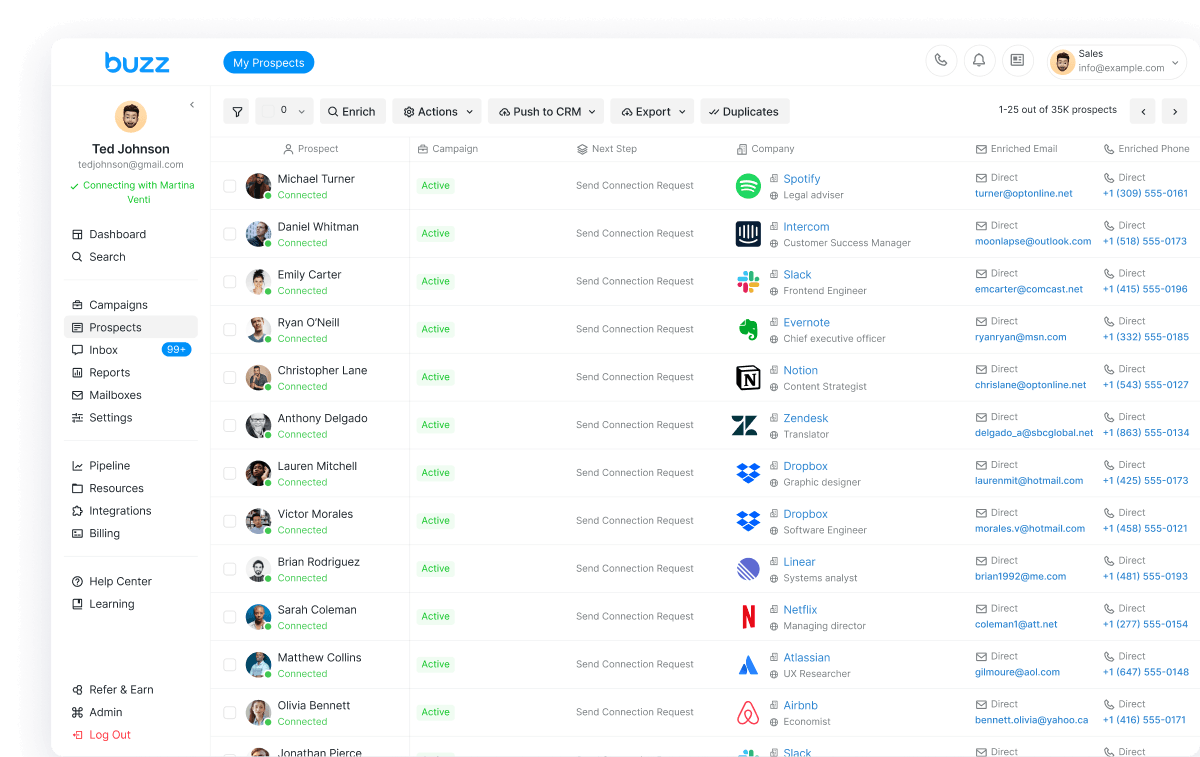
Buzz is a LinkedIn automation tool, so here's the honest version. LinkedIn's terms ban unauthorized automation, and any third-party tool, Buzz included, carries a risk of restriction. If you choose to automate:
- Keep daily limits conservative. Buzz's help center recommends 15–25 connection requests a day on a free LinkedIn account, 25–40 on Sales Navigator and 30–50 on Recruiter (Buzz LinkedIn automation).
- Warm up new accounts slowly and keep your login location consistent.
- Write every template to the standards in points 2–7, and review AI-written replies.
- Read is LinkedIn automation safe? before you start.
Buzz runs LinkedIn alongside email and call, so you can use fewer LinkedIn touches and pick the channel that fits each prospect. See single vs multichannel outreach.
Try Buzz with conservative limits
Start free on Buzz with a free seat (limited credits, timed trial, no card). Comparing tools? See our HeyReach alternative and Expandi alternative guides.
FAQ
What is ethical LinkedIn outreach?
Contacting people for a real, relevant reason, being honest about who you are and why you're writing, keeping volume low and targeted, and stopping when someone isn't interested. It also means following LinkedIn's User Agreement and Professional Community Policies.
How do I request a LinkedIn connection ethically?
Send a short note that says who you are and why you want to connect, with no pitch. LinkedIn notes can be up to 200 characters, and free members can personalize up to three requests a month.
Does LinkedIn allow automation tools?
LinkedIn's User Agreement bans bots and "other unauthorized automated methods" for sending messages or adding contacts. Its help center says members who use such tools risk having their accounts restricted or shut down.
Is it ethical to message people you don't know on LinkedIn?
It can be, if the message is relevant and honest. LinkedIn's policies ban untargeted or obviously unwanted promotional messages and say not to use invitations to send promotions to people you don't know.
Why does LinkedIn restrict invitations?
According to LinkedIn, restrictions can follow sending many invitations in a short time, having many invitations ignored, left pending or marked as spam, or suspected automation. Most restrictions lift within a week.
Do anti-spam laws apply to B2B outreach?
In the US, yes for commercial email. The FTC says CAN-SPAM makes "no exception for business-to-business email." Commercial emails need a postal address and an opt-out, and opt-outs must be honored within 10 business days.
Sources (checked October 1, 2026)
- https://www.linkedin.com/legal/user-agreement (section 8.2, effective Nov 3, 2025)
- https://www.linkedin.com/legal/professional-community-policies
- https://www.linkedin.com/help/linkedin/answer/a1341387
- https://www.linkedin.com/help/linkedin/answer/a550555
- https://www.linkedin.com/help/linkedin/answer/a551012
- https://www.linkedin.com/help/linkedin/answer/a563153
- https://www.ftc.gov/business-guidance/resources/can-spam-act-compliance-guide-business
- https://buzz.ai/products/social/